On this whole refresh topic, I remain puzzled. I have a fairly basic old 1080 monitor with a 60hz refresh rate. My 1070 card is seemingly perfectly capable of running all the games I play at way more than 60fps at the highest settings so I lock the fps in game at 60.
What am I missing? Why spend extra on a GSync monitor at 144hz if you can already run your games at a locked 60fps with a standard (cheaper) monitor? I know I must be overlooking something…
ATN’s have faster response time. IPS great color accuracy and production. The closest real world comparison you can look at is if you managed to snag a Nintendo 3DS with a top ips and bottom tn panel, you’ll see how bright and vibrant the top screen is vs the dull bottom screens. But newer panels have been improving TN picture quality in recent years so it’s not a wide gap (especially with Dell Gsync TN panels).
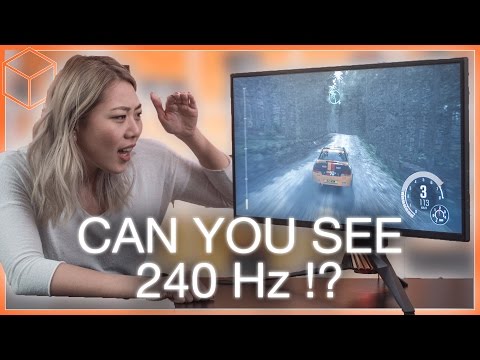
As for the difference between 60hz vs 120 and beyond, this youtube video does a better job of why faster is just smoother and a pleasant gaming/desktop experience. When you have gsync/freesync refreshing the image to keep pace with your gpu draw rate it gets even better. Unfortunately I can’t tell you how smooth it is, you’ll just have to see for yourself:
The wife has told me the reason I am so bad at vidya games is two-fold, one I have horrible tunnel vision and the other is if I do manage to look around I am having to scan my 65" TV so playing on a 24" monitor will apparently turn me into a gaming god.
I would be willing to go down to 27 inches. But really what will happen is I will eventually buy a new 4K TV, and the 50 inch Panasonic we have now will wind up being my computer monitor. I’ve played my games on it before, either wheeling the PC into the living room or streaming through a Steam Link , and I’m happy with the way it looks on there. I know I’ll probably never get more than 60 FPS at 1080p, but I’m cool with that. And other than the occasional Crucible match in Destiny, I don’t play many twitch games.
…or have purchased multiple Gsync monitors and don’t think the technology is all it’s cracked up to be. Gsync fixes frame pacing issues, but a game running under 60fps still feels clunkier than a game running at 60+.
A[quote name=“The Dark Shape” url=“/community/t/159448/tzudohnihm-joins-the-pc-master-race/60#post_4453439”]
…or have purchased multiple Gsync monitors and don’t think the technology is all it’s cracked up to be. Gsync fixes frame pacing issues, but a game running under 60fps still feels clunkier than a game running at 60+.
[/quote]
An article I just read explains that the adaptive sync technologies work best between 40-60 FPS/Hz. The game will be smoother than a fixed refresh monitor but still look like its running slow. If you’re staying above that consistently then the technology doesn’t have to be working as hard but it still syncs the monitor to the CPU/GPU info.
That’s basically it. But there’s a narrative that Gsync “fixes” bad frame rates and you don’t have to worry about hitting 60 as much, and I found that to be incredibly false. Playing at 45fps with Gsync still felt like I was playing at 45fps.
AWell, I don’t think anywhere states that it fixes bad framerates. What it does is fix tearing because your fps in game and the framerates of the monitor don’t match. Turning v sync on attempts to fix tearing by limiting the games fps to 60. However, if you can’t hit 60 you will get frame tearing. V sync has lag built in. G sync syncs the fps in game to the refresh rate of the panel. Free sync does the same thing but without the hardware, which is why free sync monitors are cheaper. G sync works at a slightly slower framerates, if I remember rightly.
I have regretted many things when my gaming PC comes to mind. I have zero regrets with g sync.